
PRODUCT (UX/UI), 2024
pitstop
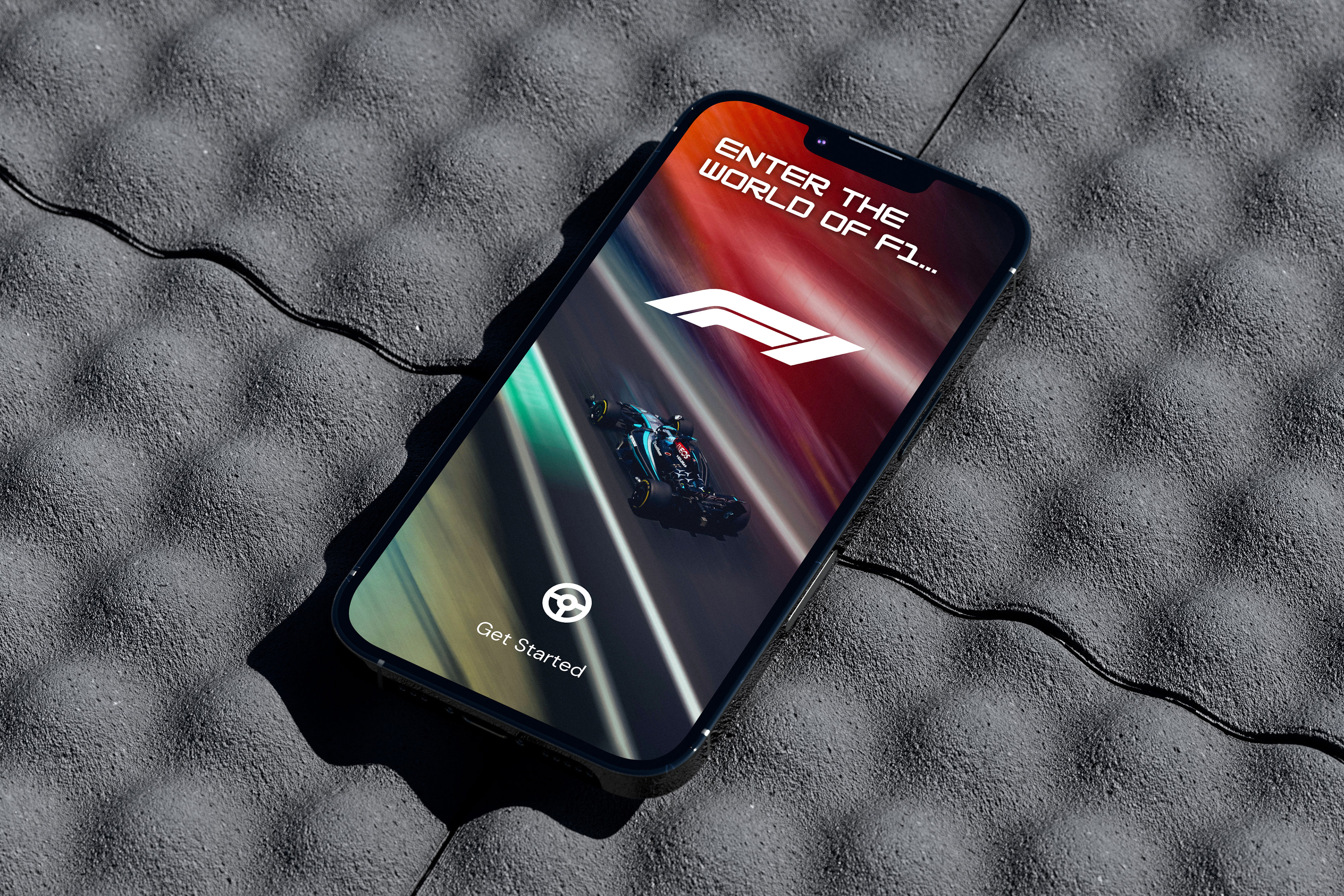
Pitstop is a mobile-first F1 companion experience designed to centralise live race data, driver performance insights, and curated news into a single fast, accessible interface. Formula 1 fans currently rely on fragmented sources, including social media, news platforms, and official F1 services, to stay updated during race weekends. This creates a delayed and inconsistent experience, especially during high-intensity race moments. Pitstop explores how a single, structured mobile product can improve clarity, speed, and engagement for time-sensitive F1 information. Offering real-time updates, live timing, and detailed race statistics, Pitstop ensures users never miss a moment of the action.
BRIEF
The goal of this project was to design a standalone mobile experience for Formula 1 fans that addresses the fragmentation of race-related information across multiple platforms. F1 fans currently rely on a combination of news sites, social media, and official apps to stay updated on race results, driver performance, and live standings, often resulting in delayed access to critical updates and a disconnected viewing experience.
This project explored how a single, mobile-first product could centralise real-time race data, driver insights, and curated F1 content into a fast, intuitive interface optimised for high-engagement, time-sensitive usage.
The focus was not only on creating a visually aligned experience with the dynamic and high-performance identity of Formula 1, but also on defining a clear product structure that prioritises information hierarchy, speed of access, and usability during live race moments.
Deliverables included a complete mobile UI design system and end-to-end user experience design, with an emphasis on clarity, responsiveness, and scalable information architecture suited to both casual viewers and dedicated F1 fans.
Focus: Product thinking, UX flows, mobile UI design
Tools: Canva, Adobe Illustrator
Tools: Canva, Adobe Illustrator
PROBLEM STATEMENT
F1 fans experience difficulty accessing real-time race information efficiently due to fragmented platforms and inconsistent content structures. During live races, users must switch between multiple apps and sources to track:
• live standings
• driver performance
• race incidents
• news updates
This leads to cognitive overload, delayed information access and a fragmented viewing experience. This means there is an opportunity to design a unified, real-time mobile experience that prioritises speed, clarity, and relevance.
RESEARCH METHODS
• Competitor analysis (F1 app, ESPN, BBC Sport, Sky Sports)
• Secondary research (F1 fan behaviour patterns)
• Light qualitative feedback
KEY INSIGHTS
• Users don’t want more content, they want faster access to key race state changes
• During live races, attention span is extremely short
• Fans prefer data hierarchy over content volume
• Social media is used for emotion, not structured updates
From the research we can conclude that the core user need is not information discovery, but real-time clarity of race status with minimal interaction.
COMPETITOR ANALYSIS
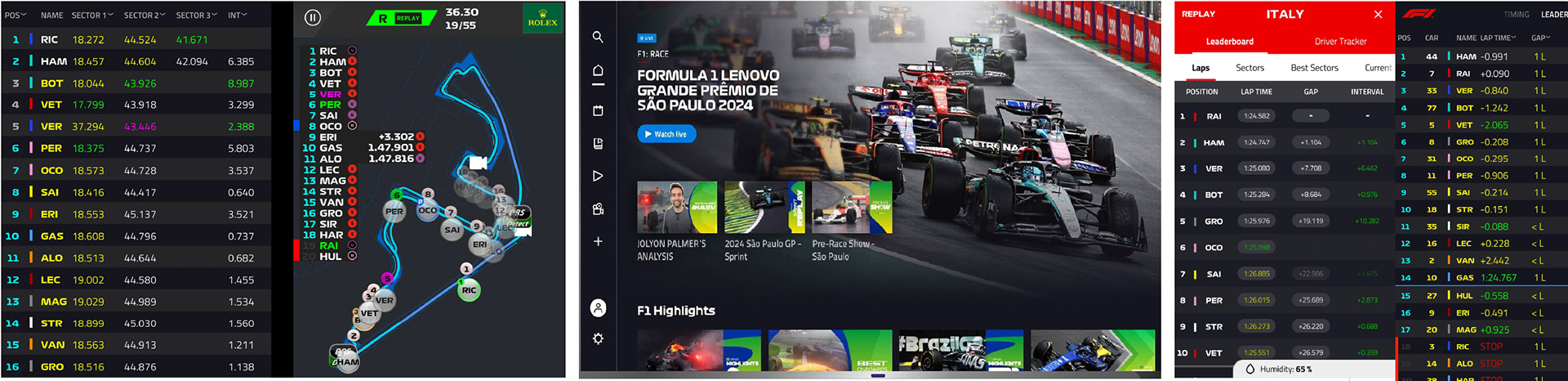
To understand how Formula 1 content is currently delivered across digital platforms, I analysed three key apps: the official Formula 1 app, ESPN, and Sky Sports. The goal was to identify how each platform structures live sports information, and where gaps exist in delivering a fast, race-focused experience for F1 fans. Across all platforms, a consistent pattern emerged: existing sports apps are optimised for content consumption, not real-time race comprehension. This creates an opportunity for a dedicated, race-first F1 experience focused on speed, clarity, and information hierarchy.
F1 Official App
• Provides the most comprehensive and accurate F1-specific data
• Combines live timing, news, videos, standings, and race weekend info in one platform
• Strong data depth (telemetry, driver stats, live leaderboard)
Limitations:
• High information density leads to cognitive overload during live races
• Live race data competes with news and media content
• Race information requires multiple navigation steps to access
• Designed as a media + data hybrid, not a real-time utility tool
Insight:
Prioritises completeness of information over speed of comprehension
Sky Sports App
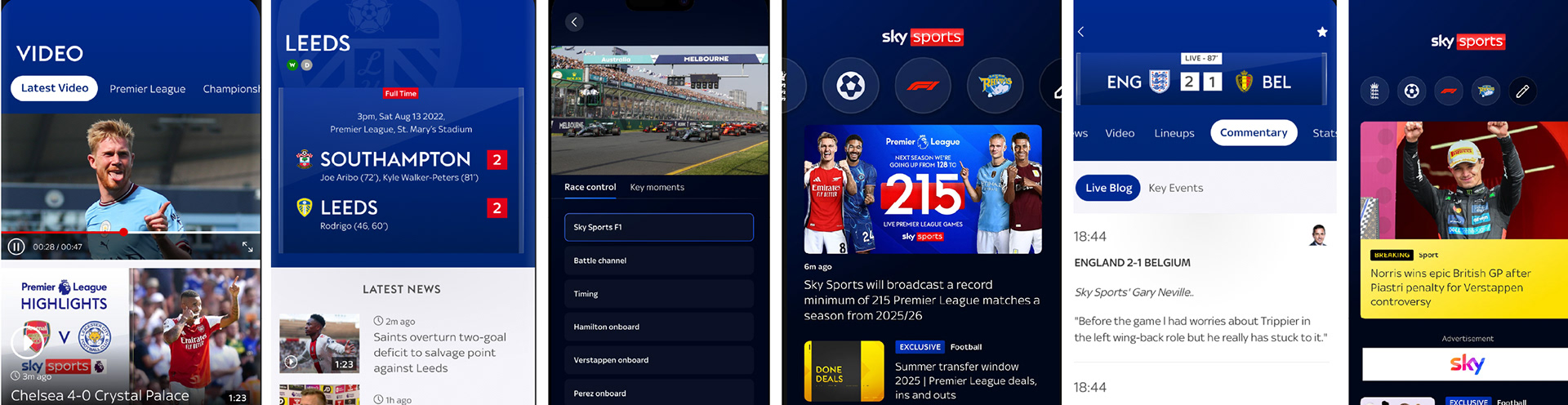
• Strong sports media ecosystem covering multiple sports including F1
• High-quality editorial content and video integration
• Clean UI with consistent visual design system
Limitations:
• F1 is not the primary focus, it sits within a multi-sport structure
• Live race data is not the dominant entry point
• Information is fragmented across news, video, and standings sections
• Requires navigation between content types during live events
Insight:
Insight:
Optimised for sports media engagement, not race-specific urgency
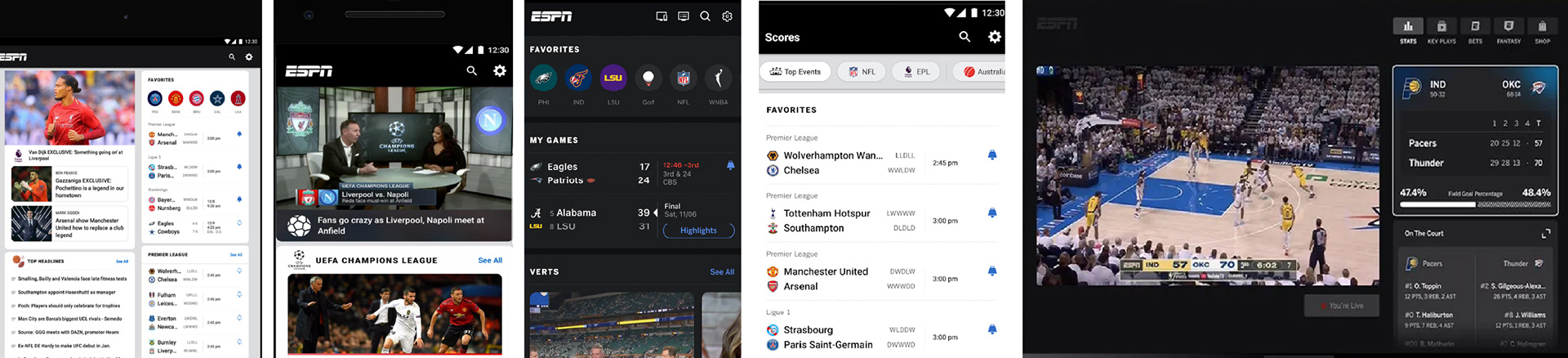
ESPN
• Strong live scores and sports data infrastructure
• Good hierarchy for multi-sport coverage
• Modular card-based UI for different sports updates
Limitations:
• Generic sports structure not tailored for F1
• Live data still mixed with editorial content
• Information density can become overwhelming
• Lacks F1-specific interaction patterns or race context
Insight:
Designed for breadth of sports coverage, not depth of a single sport experience
VISUAL DIRECTION
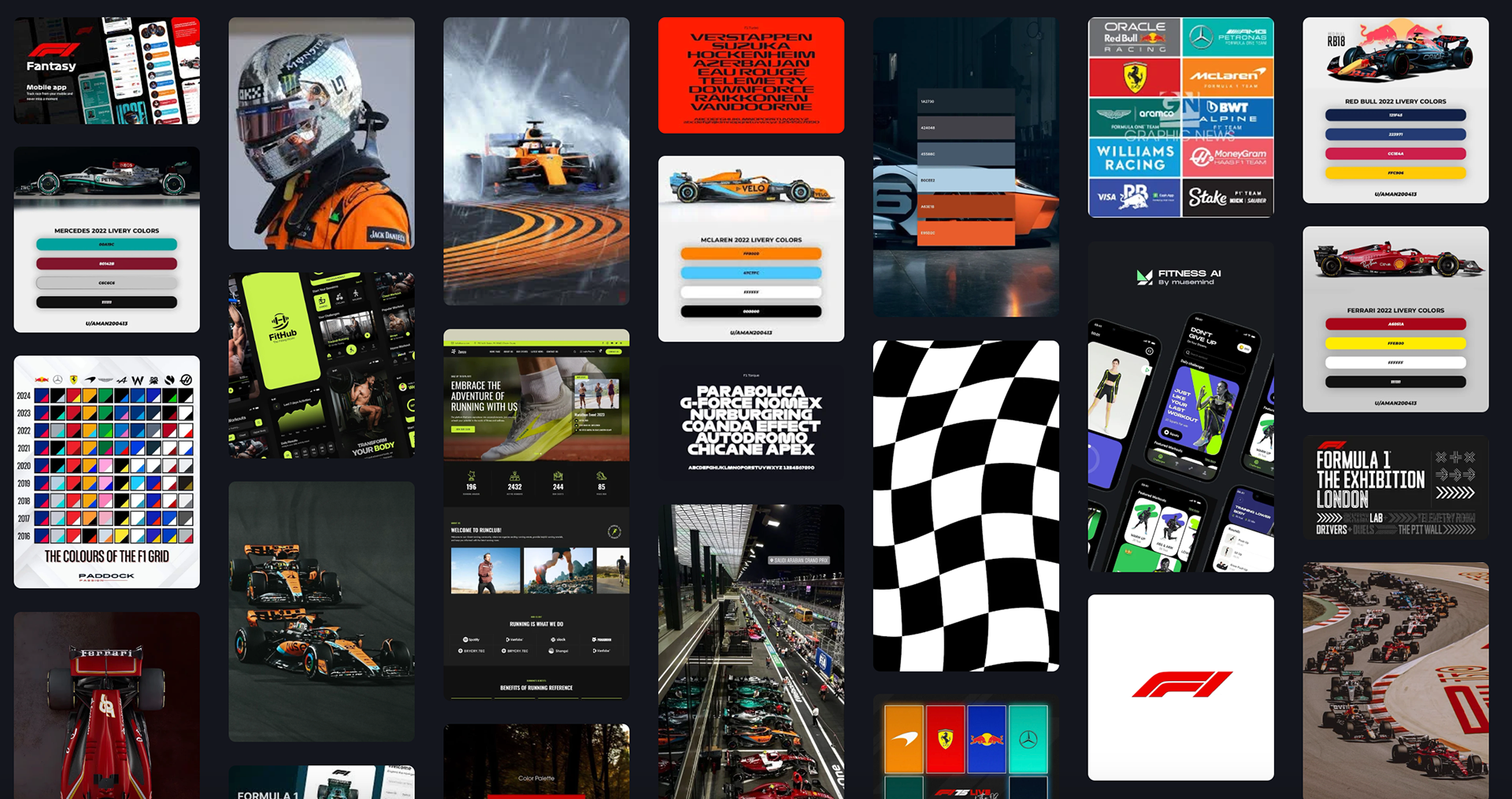
Moodboard exploring visual direction, tone, and interaction style for the Pitstop app, focusing on speed, structure, and high-pressure task coordination
The moodboard was developed to translate the high-performance identity of Formula 1 into a digital product experience. Beyond capturing F1’s visual branding, including team colour systems, car liveries, track geometry, and its signature sense of speed and precision, it also explored how these elements could inform hierarchy, motion, and data presentation within a mobile interface
Existing sports applications were analysed to understand common patterns in how live data, statistics, and news content are structured, revealing opportunities to improve clarity and reduce visual noise in high-information screens.
This research informed a visual direction that balances F1’s aggressive, fast-paced aesthetic with a more refined and structured UI approach, ensuring that branding elements support usability rather than overwhelm it. The outcome is a defined design direction combining bold sports branding with clean, digestible interface patterns tailored for time-sensitive race viewing.
USER PERSONAS
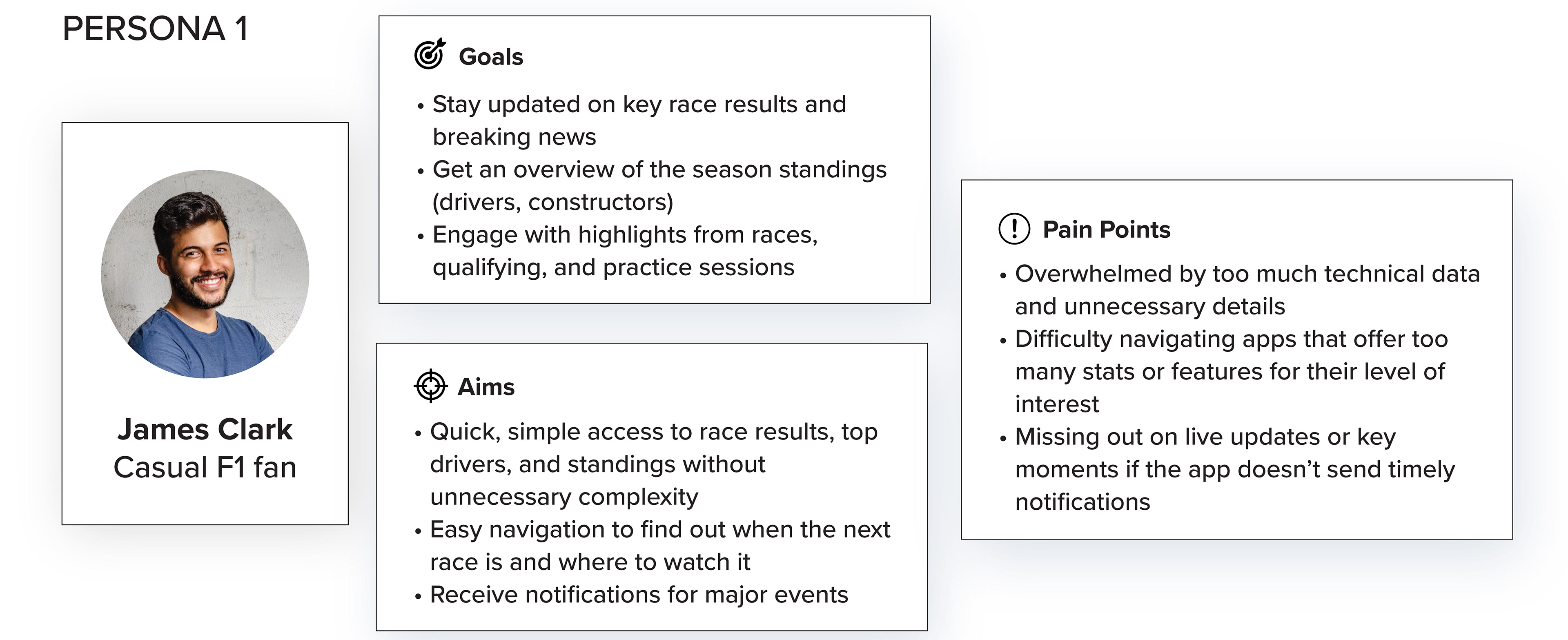
User personas developed to represent key user types for the Pitstop app, focusing on behavioural patterns, goals, and time-sensitive task management needs
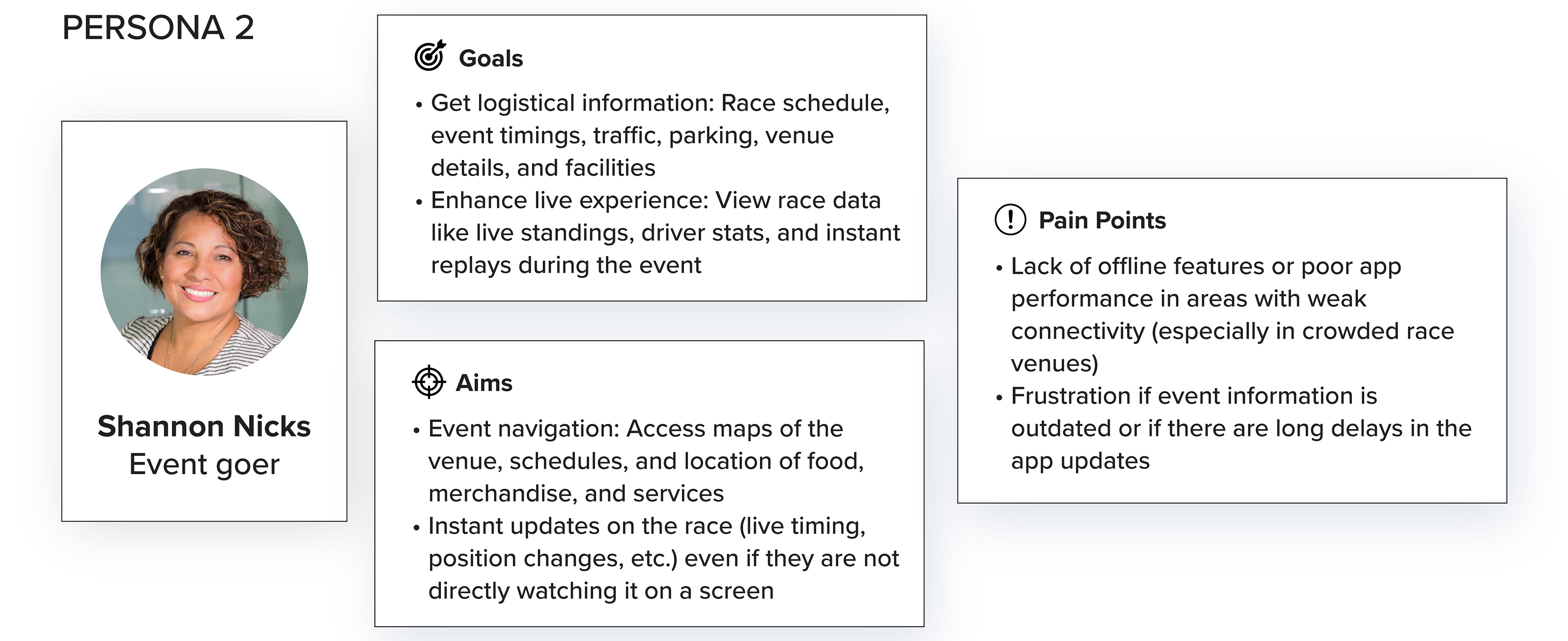
User personas developed to represent key user types for the Pitstop app, focusing on behavioural patterns, goals, and time-sensitive task management needs
User personas were created to help identify and understand the app’s target audience, focusing on their goals, aims, and pain points. By defining clear personas, such as the Casual F1 Fan and the Event Goer, I was able to gain insight into who the users are, what they’re looking to achieve, and what challenges they may face when engaging with Formula 1 content digitally.
These personas played a key role in shaping the design of the app, ensuring that features and layouts were tailored to real user needs. For example, the casual fan prioritises quick access to news and results, so the homepage was designed to be clean and easy to navigate, with top stories front and centre. Meanwhile, the event-goer needs live updates and logistical information on race day, which influenced the inclusion of race countdowns, schedule previews, and venue-related content. Using these personas throughout the design process ensured that the app offers a user-centred experience that feels relevant, intuitive, and engaging.
PAGE FLOWS
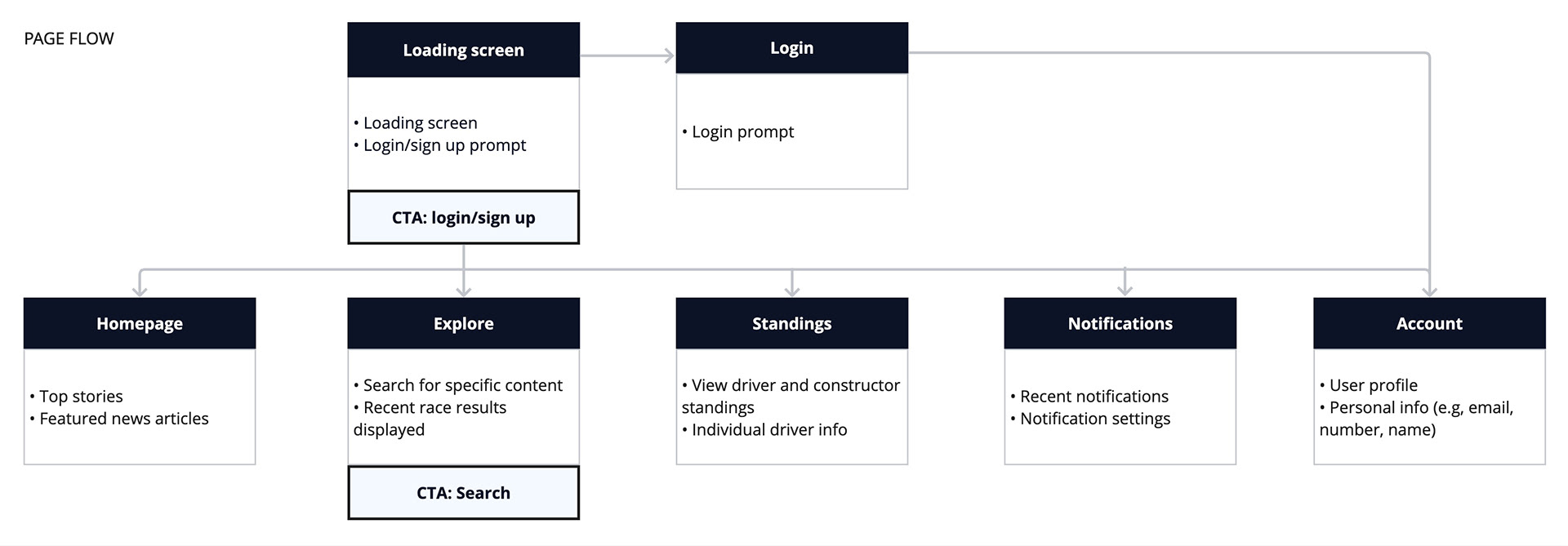
User flow mapping the key steps users take through the Pitstop app, from task creation to completion, highlighting decision points and interactions across the experience
The page flow for the app is designed to guide users through an intuitive journey, ensuring they access key features with ease. It starts with a loading screen, offering a brief introduction before transitioning to the login page, where users can securely access their personal accounts.
Once logged in, they’re directed to the homepage, which showcases top stories and live race updates. From here, users can navigate to the 'explore' section, where they can dive deeper into team news, upcoming races, and other specific content.
The 'driver standings' page allows fans to track performance, compare stats, and get information on their favourite drivers. The notifications page ensures users stay up-to-date with alerts for live events, breaking news, and race developments. The account page provides easy access to personal settings and preferences. Finally, users can return to the login page as needed for session management, ensuring flexibility and security throughout their app experience. This fluid, structured flow ensures the app is both user-friendly and feature-rich, catering to a wide range of F1 fan needs.
LOW-FIDELITY WIREFRAMES
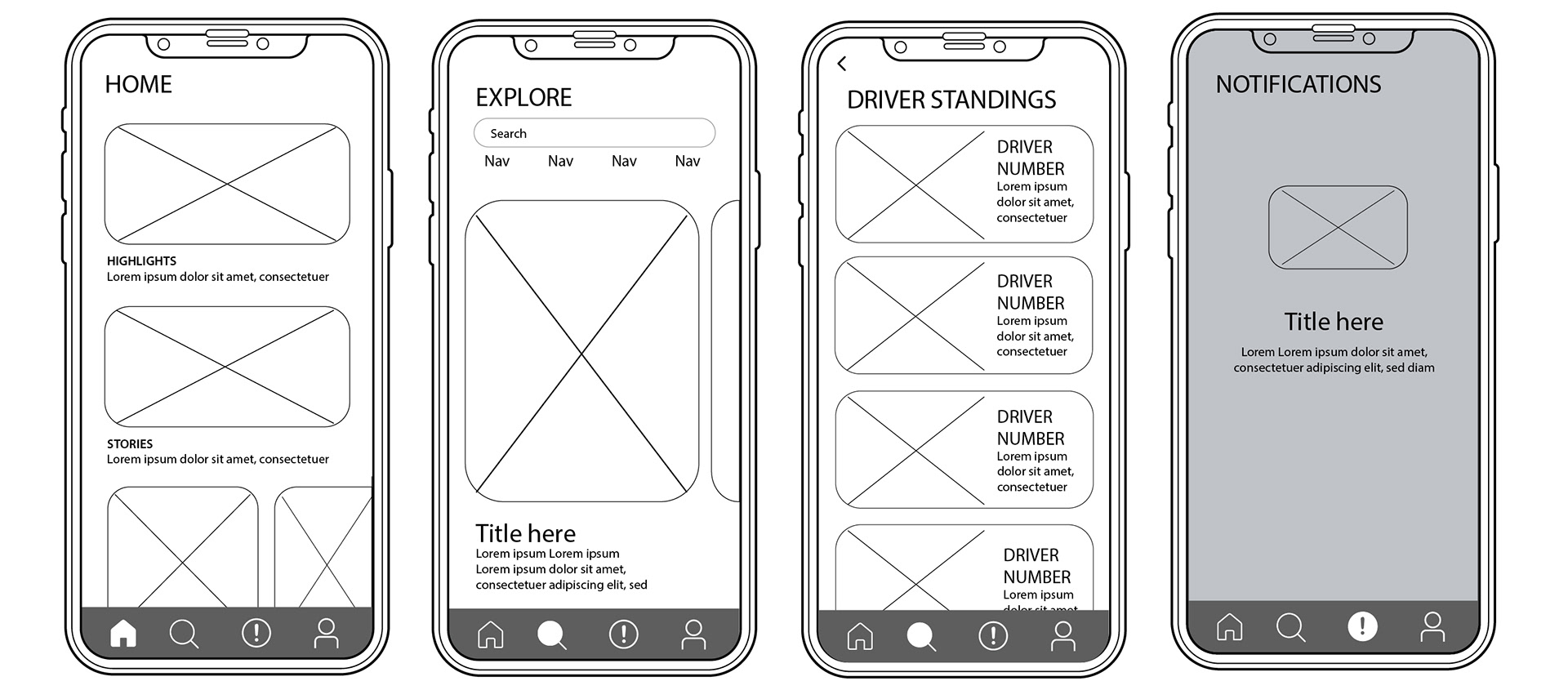
The wireframes in this project were designed to visually map out the structure of each essential page, focusing on the user flow and interactions. By outlining the key steps users would take to navigate through the site, the wireframes served as a blueprint for ensuring a seamless and intuitive experience. This process allowed us to identify potential usability issues early and optimise the navigation, ensuring that users could easily access the content and features they needed.
Initial wireframes focused on content exploration. However, testing revealed that users struggled to quickly locate live race information. This led to restructuring the homepage to prioritise:
• live race updates
• driver standings
• simplified navigation
USABILITY TESTING
Usability testing was conducted to evaluate how effectively users could navigate the Pitstop interface and understand live Formula 1 race information under time-sensitive conditions. The primary focus was to assess clarity of information hierarchy, ease of navigation, and how quickly users could access key race data.
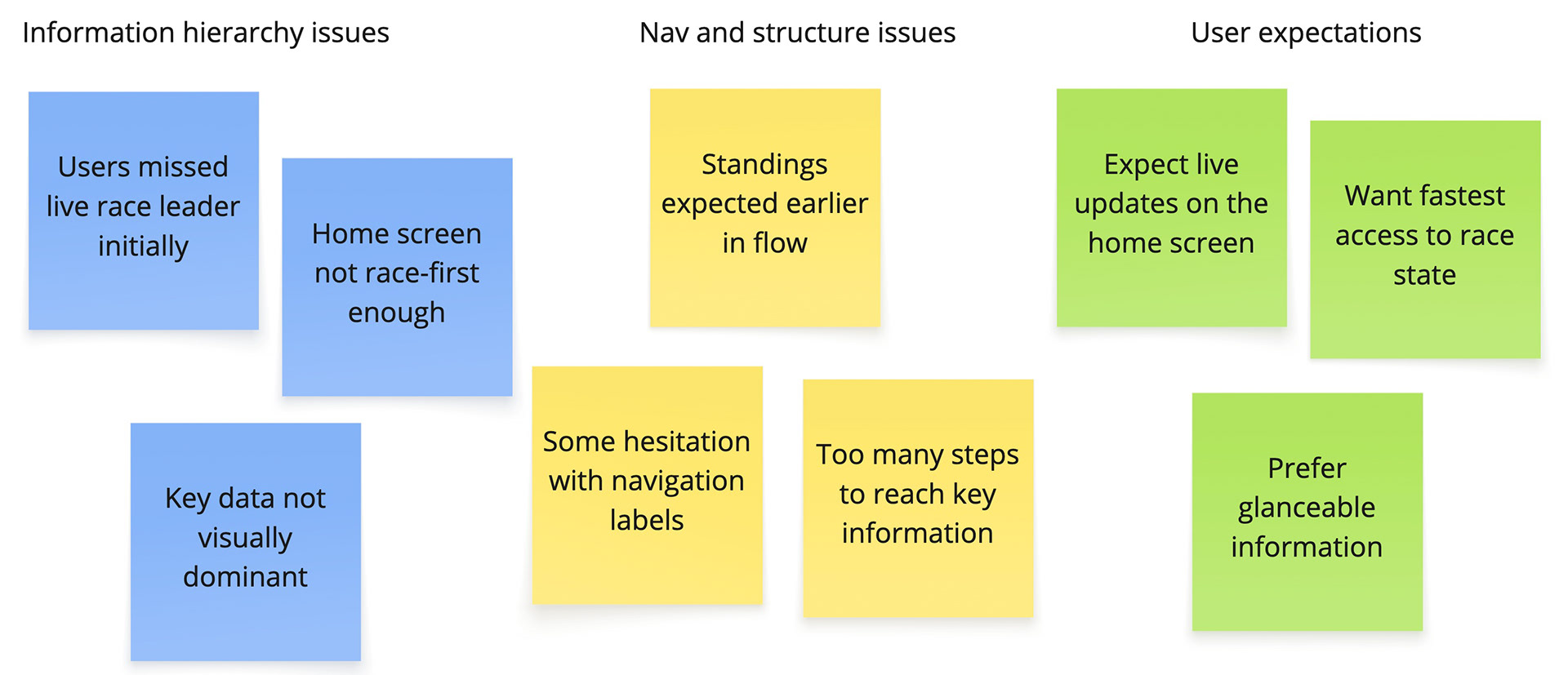
Affinity diagram used to synthesise user research findings and group insights into key issues
Participants
Usability testing was conducted with 3 participants. While they were not the ideal target audience of dedicated Formula 1 fans, they were all familiar with using sports and live-score applications such as ESPN, BBC Sport, and similar platforms.
This was a deliberate early-stage testing decision to evaluate how easily general sports app users could interpret and navigate the interface without prior F1-specific knowledge. The goal was to understand whether the core structure of the app was intuitive enough for users who regularly consume live sports data, even if they were not deeply embedded in Formula 1 culture.
Although the participants represented a broader sports audience rather than a niche F1 demographic, their familiarity with fast-paced, data-driven sports interfaces provided valuable insights into usability, information hierarchy, and clarity of live race content presentation.
Tasks:
Participants were asked to complete a set of core tasks designed to simulate real-world usage during a live race environment:
1. Locate the current driver standings
2. Find the latest race updates or incidents
3. Navigate to an individual driver’s performance statistics
These tasks were chosen to test whether users could quickly access high-priority information without confusion or unnecessary navigation.
Findings:
1. Live race information needed stronger visual hierarchy. Participants initially scanned the screen but did not immediately recognise where live race data was prioritised. This indicated that the most important information was not visually dominant enough.
2. Standings were expected earlier in the navigation. Users looked for driver standings within the home experience, rather than within a deeper section of the app. This suggested a mismatch between user expectations and information architecture.
3. Navigation labels were understood but not instantly scannable. While users were able to complete tasks, they hesitated when interpreting some navigation options, indicating room for improvement in clarity and scan-ability.
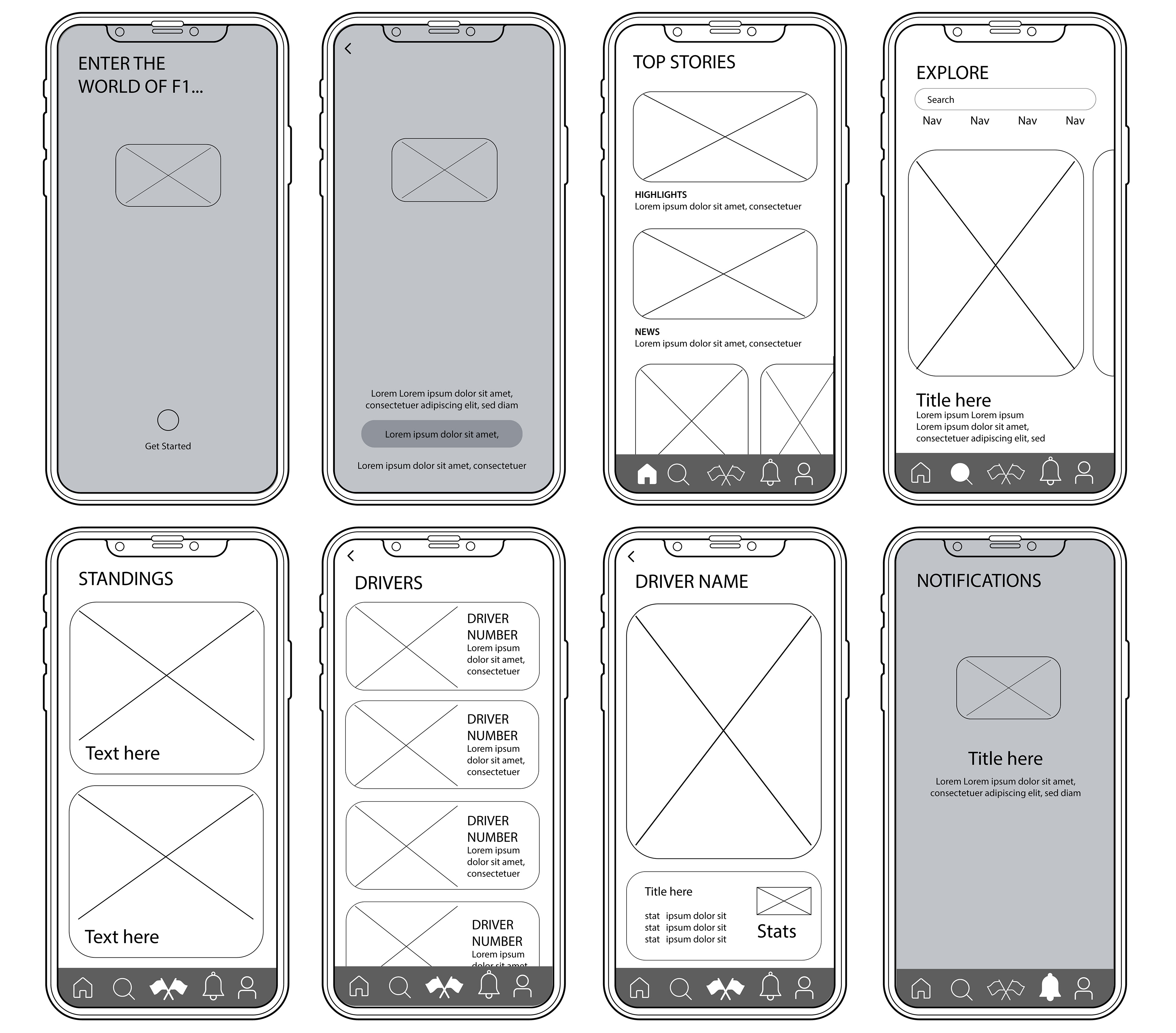
Low-fidelity wireframes exploring initial layout structures, information hierarchy, and core user flows for the Pitstop app
Iterations:
• Reprioritised the home screen to surface live race updates more prominently
• Simplified navigation structure to reduce cognitive load during task switching
• Improved visual hierarchy for standings and live indicators
• Reduced competing content on the homepage to create a clearer “race-first” experience
BRANDING
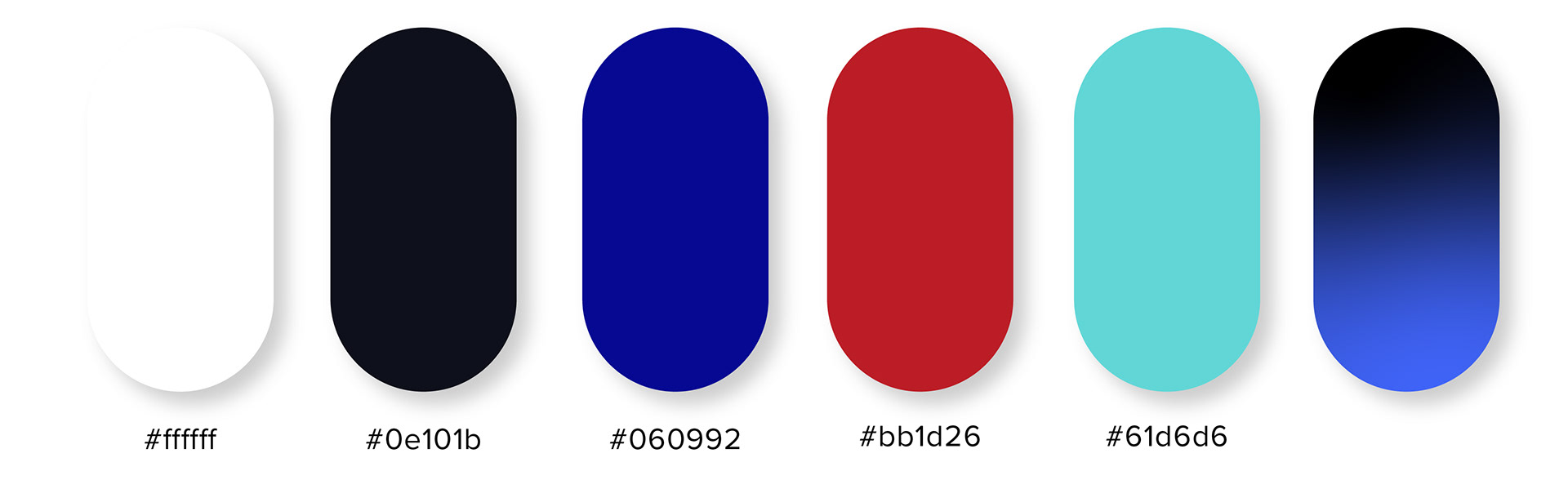
Colour palette defined to establish visual hierarchy, reinforce clarity, and support a fast-paced, high-pressure user experience
The colour palette draws inspiration from the iconic colours commonly associated with Formula 1 racing. Dominated by bold reds, striking blues, and sleek blacks, these hues reflect the high-energy, competitive nature of the sport. Red symbolises speed and power, often linked with Ferrari and other teams' branding, while blue evokes the precision and technology that drive the sport forward. Black, a staple in F1 aesthetics, represents sophistication, engineering excellence, and the high-performance machines at the heart of every race. Together, these colours create a dynamic, fast-paced look that resonates with the world of Formula 1.

Typeface selected to ensure clarity, readability, and strong hierarchy across fast-paced, time-sensitive interactions within the Pitstop app
The primary typeface, HK Modular, is reminiscent of classic racing fonts, evoking the bold, dynamic style found in motorsport branding while offering a modern twist. This choice creates a strong, impactful presence that mirrors the energy of F1 racing. For body text, the DM Sans font family was chosen for its clarity and legibility, especially on smaller screens. Its clean, sans-serif design ensures that users can easily read updates and race information, even in fast-paced or on-the-go contexts, offering an optimal reading experience across all devices.
OUTPUTS
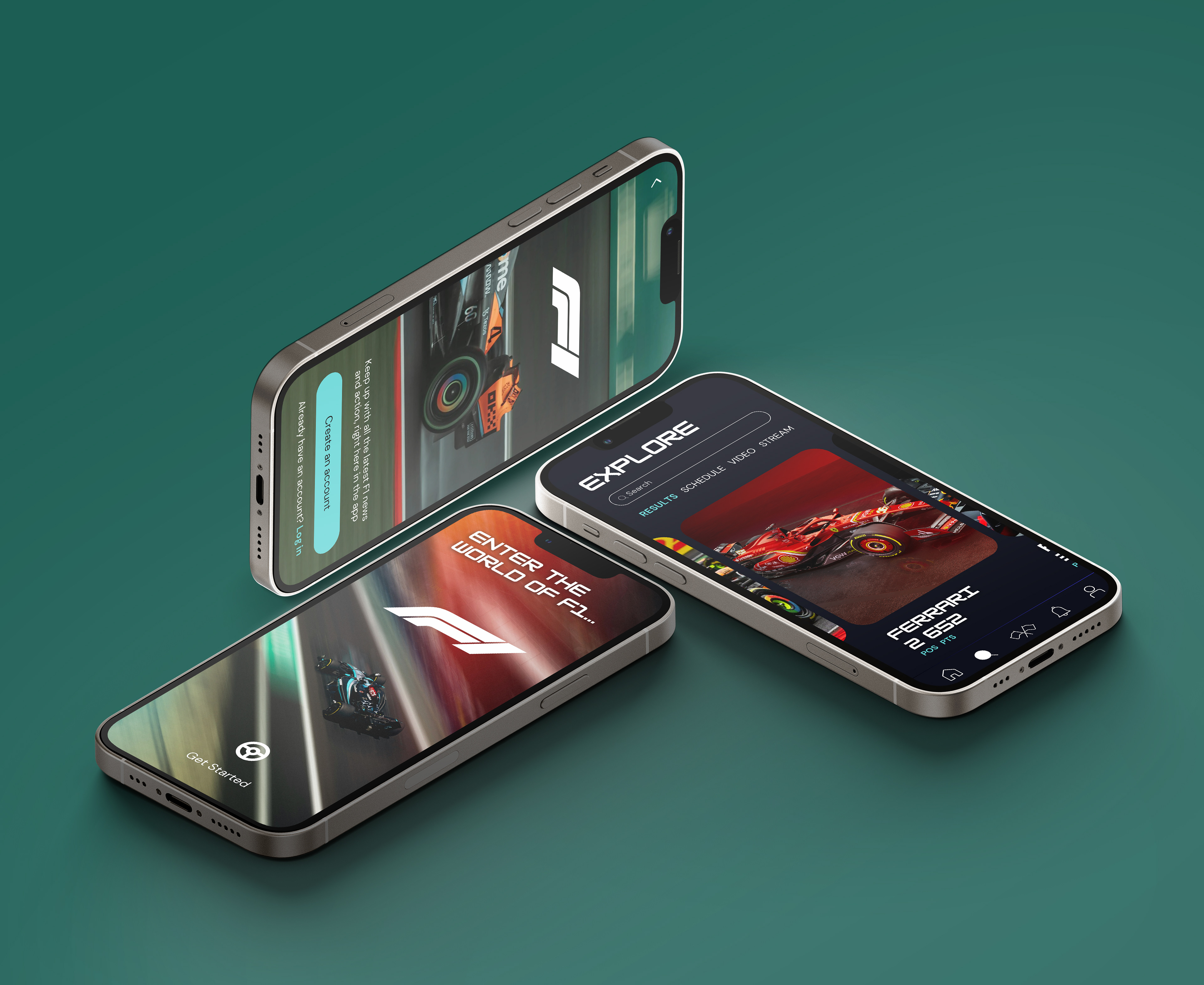
Final visual outputs showcasing the completed Pitstop interface, designed to support fast decision-making, clear hierarchy, and time-sensitive task execution
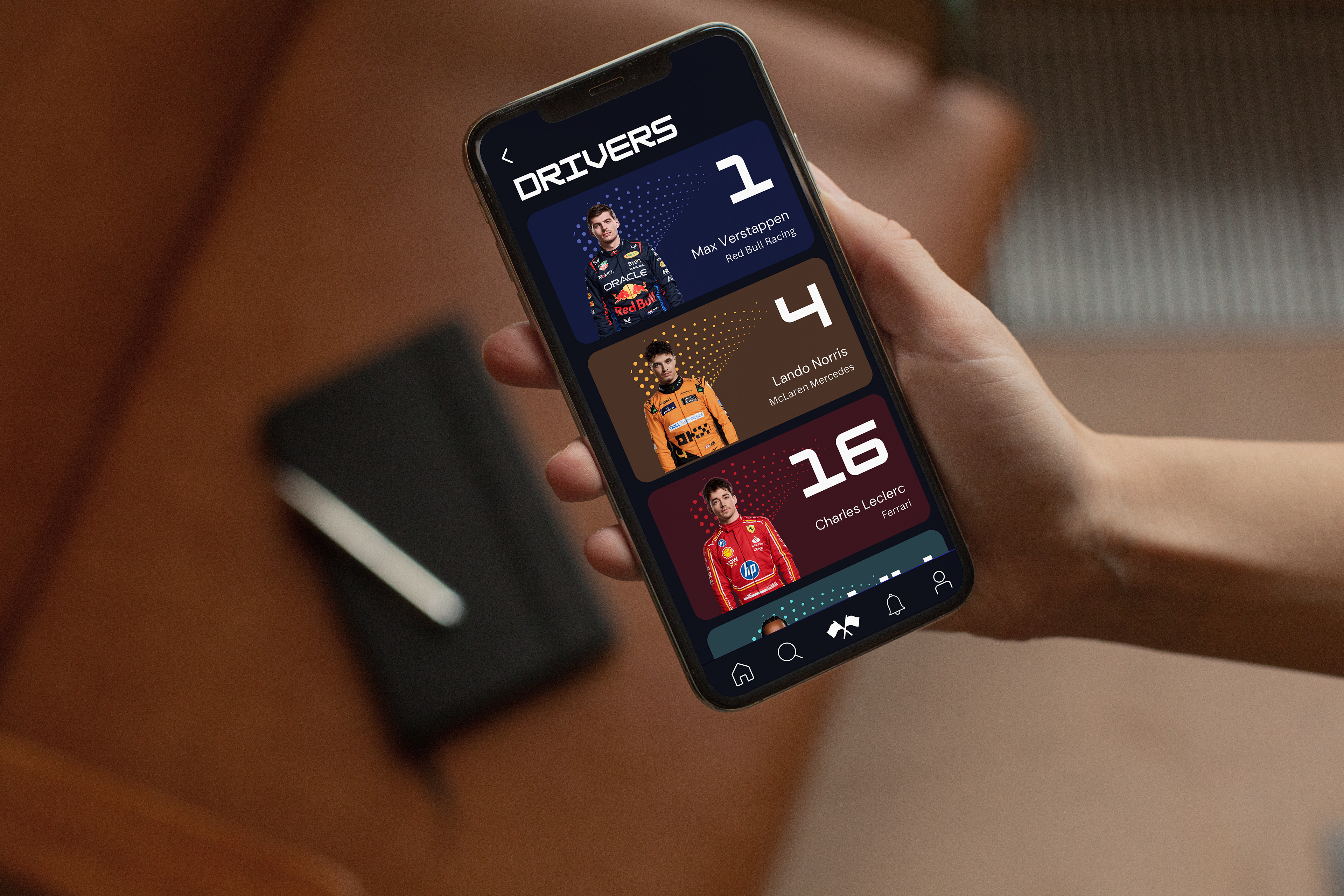
Final visual output of the 'driver standings' screen, designed to support fast decision-making, clear hierarchy, and time-sensitive task execution
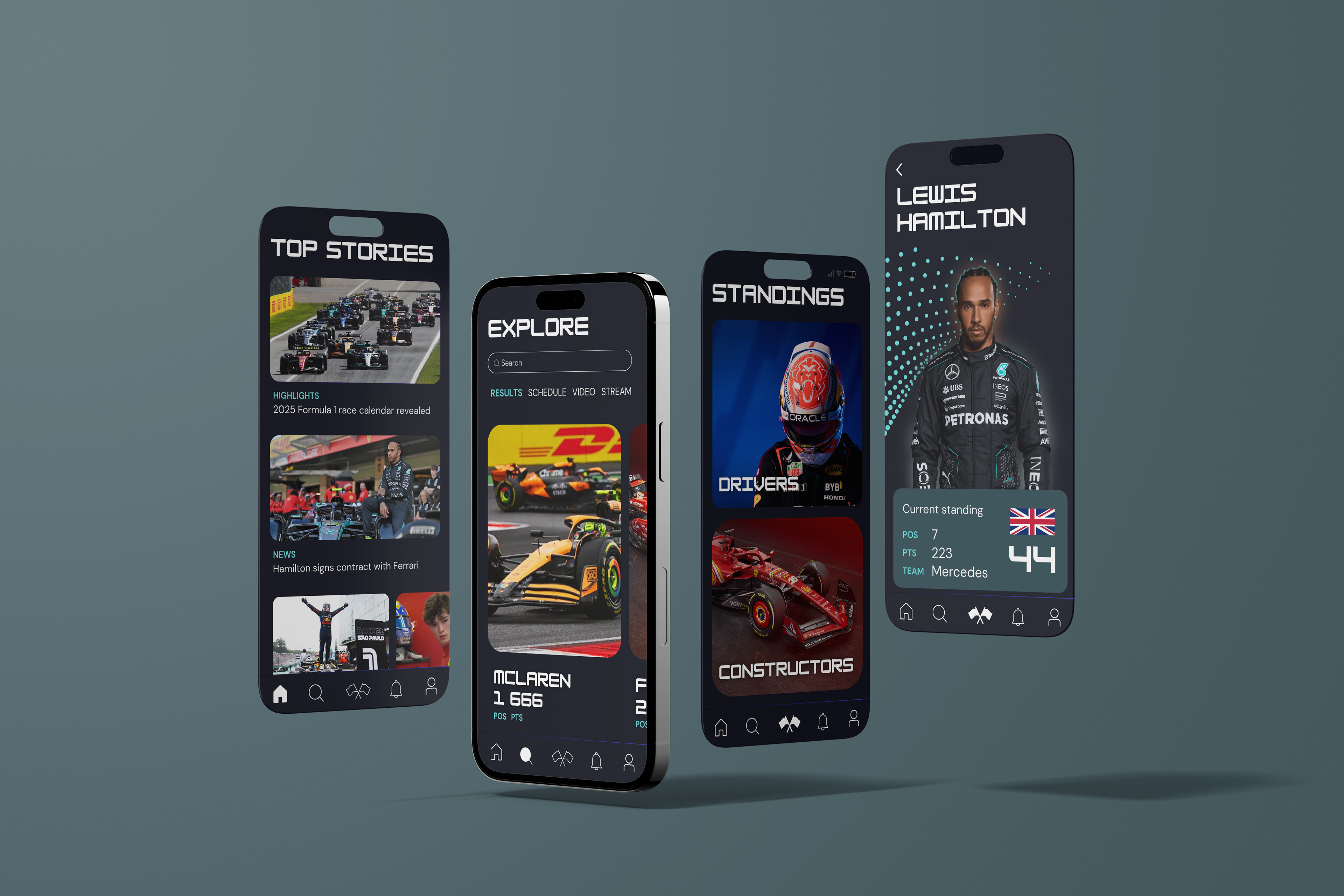
Final visual outputs showcasing the completed Pitstop interface, designed to support fast decision-making, clear hierarchy, and time-sensitive task execution
REFLECTION
Overall, this project reinforced the importance of designing for clarity in high-pressure, information-dense environments. I learned that effective UX is less about adding more features or content, and more about carefully structuring what matters most to the user at any given moment. If I were to revisit Pitstop, I would involve user testing much earlier in the process, specifically focusing on how users interpret and prioritise live information, to better validate decisions around hierarchy and information density before moving into high-fidelity design